Introducing Deep Research for logcat.ai
We’re launching logcat.ai’s first autonomous AI agent—an investigator that conducts multi-step investigations across your Android and Linux logs. It accomplishes in 5-10 minutes what would take a senior engineer hours, or even days.
Deep Research doesn’t just answer your questions—it investigates them. Give it a problem like “Why is my app draining 40% battery overnight?” and it will search your logs, look up error codes online, verify technical claims with external sources, and deliver a comprehensive root cause analysis with specific recommendations—all backed by citations.
Deep Research in action - multi-step investigation with live progress updates
The Problem: Complex Debugging Requires Investigation
Production debugging is rarely straightforward. A crash in your app might be caused by a memory leak in a system service. Battery drain might stem from aggressive OS power management triggering a vendor-specific driver bug. A kernel panic might require understanding the interaction between three different subsystems over a 2-hour timeline.
Traditional debugging—even with AI—works in a single pass: you ask a question, get an answer based on what’s in the logs, and that’s it. But real problems require investigation: following leads, checking multiple angles, verifying assumptions, and connecting the dots across different log sources.
This is what senior engineers do—and now AI can do it for you.
How Deep Research Works
logcat.ai’s Deep Research understands log structure: it preserves stack traces intact, groups errors with surrounding context, and intelligently analyzes your logs based on their characteristics. Each investigation searches your logs with specialized Android/Linux optimization, correlates findings across bugreport + logcat + dmesg simultaneously, performs web searches for error codes and CVEs when needed, then synthesizes everything into a comprehensive report with citations—completing in 5-10 minutes what would take a senior engineer hours, or even days.
How to Use Deep Research
logcat.ai automatically analyzes your uploads and generates comprehensive reports with insights across multiple subsystems. Deep Research lets you investigate any finding in depth with a multi-step AI investigation.
Introduction to Deep Research
Real-World Use Cases
App Developers: Mysterious Battery Drain
Before: Spend hours correlating battery stats, logcat events, and system service behavior. Try different theories. Maybe find the cause.
With Deep Research: Upload bugreport, ask “Why is battery draining?”, get root cause analysis in 6-8 minutes with specific app/service names, exact measurements, and prioritized fixes—all cited with sources from your logs and external documentation.
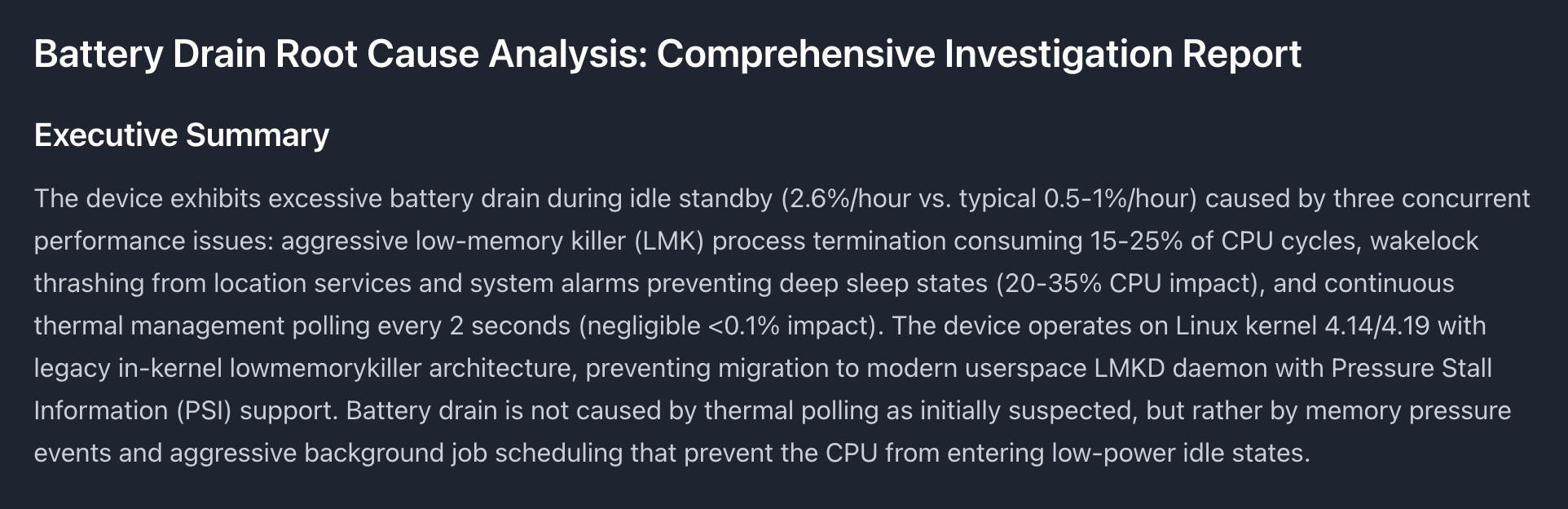
Example Deep Research report for battery drain analysis - view full report
Kernel Engineers: Production Kernel Panics
Before: Parse dmesg manually, trace driver initialization sequences, cross-reference subsystem logs, search LKML archives for similar crashes, isolate root cause over hours.
With Deep Research: Upload dmesg, ask “Investigate this kernel panic”, get multi-step analysis that traces the panic through subsystem interactions, identifies known CVEs via web search, and suggests fixes—all in 8-10 minutes with full citations.
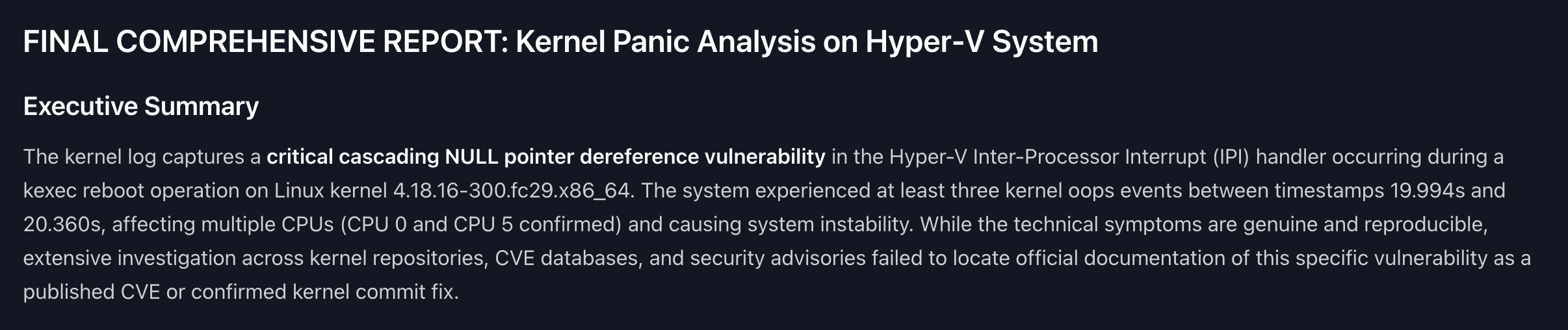
Example Deep Research report for kernel panic analysis - view full report
Platform Engineers: Memory Leaks in System Services
Before: Analyze dumpsys meminfo, grep for memory growth patterns, identify leaking component, figure out which app is causing platform-level leak.
With Deep Research: Ask “Why is system_server using 2GB RAM?”, get component-level breakdown (WindowManager), object leak count (85,000 leaked WindowTokens), app correlation (which app’s dialogs aren’t being dismissed), and code fix suggestions—complete with citations from Android developer documentation.
QA Teams: ANR Regression Analysis
Before: Manually compare ANR traces across builds, try to identify what changed, guess at root cause from stack traces alone.
With Deep Research: Ask “Why did ANRs increase in build 2.5.0 compared to 2.4.8?”, get analysis of blocking operations, thread contention patterns, and correlation with specific code changes—with references to exact logcat timestamps and Android framework documentation.
OEMs: Vendor-Specific Issues
Before: Debug device-specific problems by searching XDA forums, contacting chipset vendors, experimenting with different configurations.
With Deep Research: Ask “Why does WiFi disconnect on Samsung S21 during doze mode?”, get investigation that searches vendor documentation, identifies OEM-specific power management customizations, and provides device-specific workarounds.
DevOps/SRE: Field Issue Triage
Before: Receive customer bugreports, manually review logs to determine severity, assign to appropriate team after initial investigation.
With Deep Research: Batch-process customer bugreports with investigations like “Classify this issue and identify which team should handle it”, get prioritized assessment with root cause and assignment recommendation—shareable with engineering teams.
Security Researchers: Exploit Analysis
Before: Analyze crash dumps for potential security implications, manually search CVE databases, correlate with known vulnerabilities.
With Deep Research: Upload crash logs and ask “Is this crash security-related?”, get analysis that searches CVE databases, identifies known exploits, and assesses severity—with full citations to security advisories.
Embedded Systems: Boot Failures
Before: Debug bootloader issues by parsing serial console output, checking hardware initialization sequences, reading vendor BSP documentation.
With Deep Research: Ask “Why is the device failing to boot?”, get step-by-step analysis of initialization sequence, identifies which driver/peripheral is failing, searches for known hardware compatibility issues.
Support Engineers: Customer Issue Resolution
Before: Read through customer-provided logs, ask clarifying questions, escalate to engineering if root cause unclear.
With Deep Research: Generate shareable investigation report for customer showing root cause, workarounds, and fix timeline—professional documentation without requiring deep engineering expertise.
Citations: Backed by Evidence
Every Deep Research investigation includes comprehensive citations from multiple sources:
Log Data Citations
References to exact log lines, timestamp ranges, and sections:
- “Logcat lines 45823-45891 - TIME_TICK alarms”
- “Bugreport dumpsys battery section”
- “Dmesg timestamps 14:32:15-14:35:20”
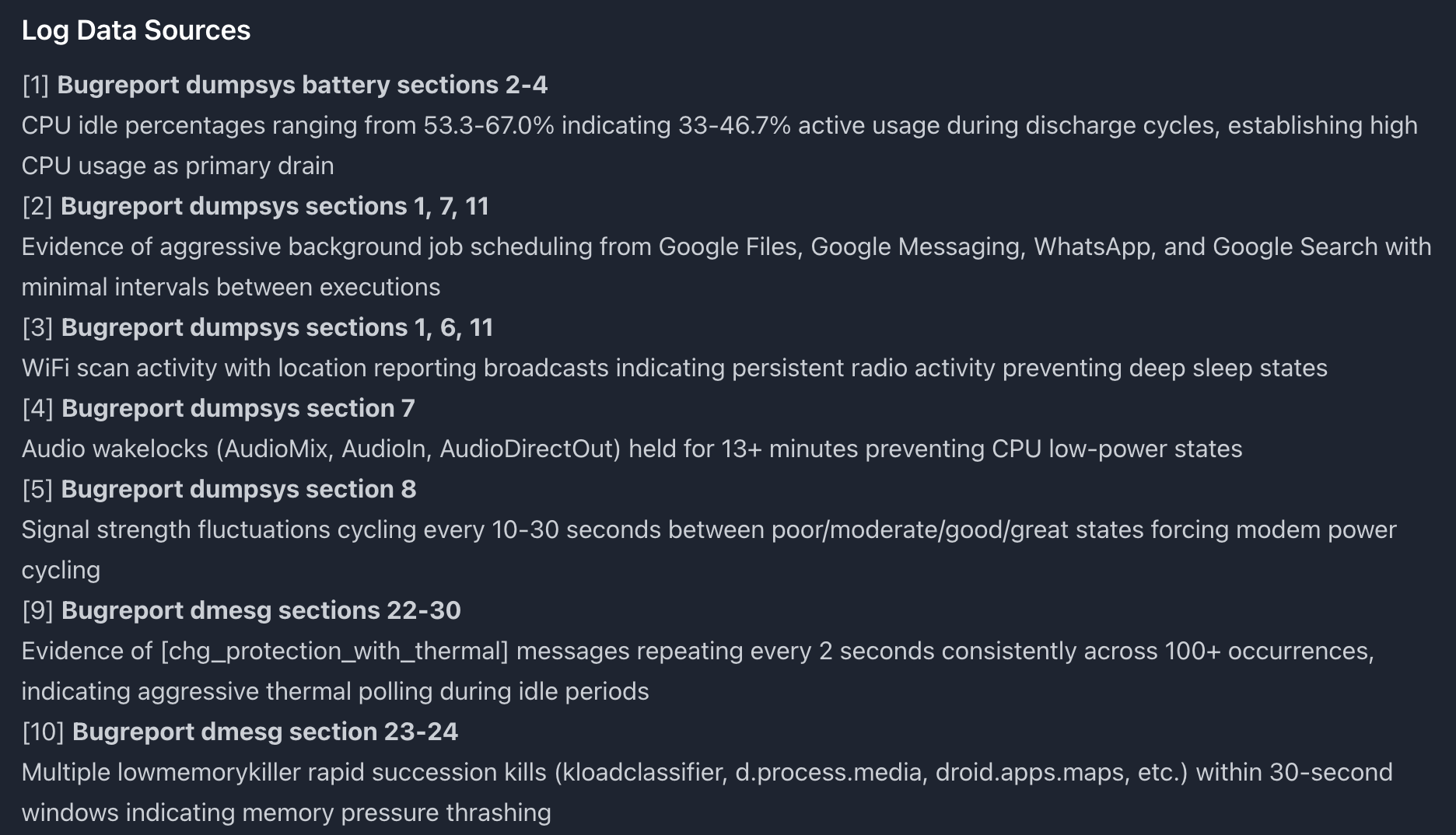
Citations from log data showing exact sections and timestamps
External References
Web searches automatically cite authoritative sources:
- Official Android documentation (developer.android.com, source.android.com)
- Security databases (nvd.nist.gov for CVEs)
- Vendor resources (Samsung, Qualcomm, MediaTek docs)
- Community knowledge (Stack Overflow, XDA, AOSP issue tracker)
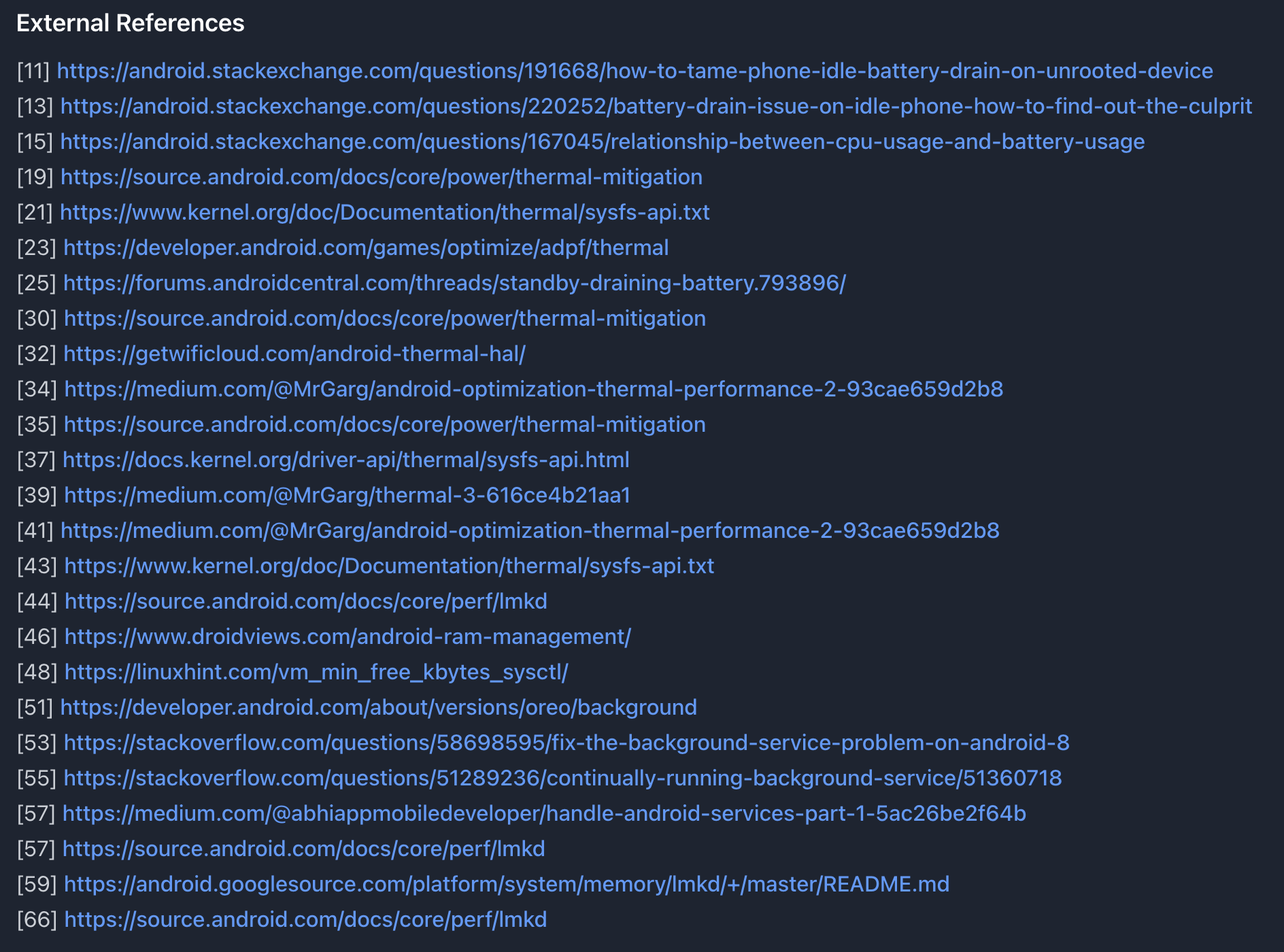
External references from web search - official docs, forums, and community resources
All citations appear in the final report under dedicated sections: “Log Data Sources” and “External References”.

AI-verified technical claims with corrections when needed
Share Your Investigation Reports
Deep Research investigations can be shared with anyone via a secure link—perfect for collaborating with your team, reporting to executives, or responding to customer issues.
Use Cases for Sharing
Share with executives:
“Here’s the root cause analysis for the production battery drain issue customers reported. The investigation identified NetworkStats polling as the culprit—full details and fix recommendations in the report.”
Share with your team:
“I investigated the kernel panic we saw on Samsung devices. Found it’s a known CVE affecting our kernel version. Check out the Deep Research report for mitigation steps.”
Share with customers:
“We’ve completed a thorough investigation of the issue you reported. This detailed analysis explains the root cause and our fix timeline.”
How Sharing Works
- Complete a Deep Research investigation
- Click the “Share” button on the final report
- Get a secure, permanent link to the investigation
- Share the link with anyone (no login required to view)
- Revoke access anytime from your dashboard
Shared reports include:
- ✅ Full investigation timeline with all steps
- ✅ Complete final report with findings and recommendations
- ✅ All citations (log data + external sources)
- ✅ Professional formatting for external viewing
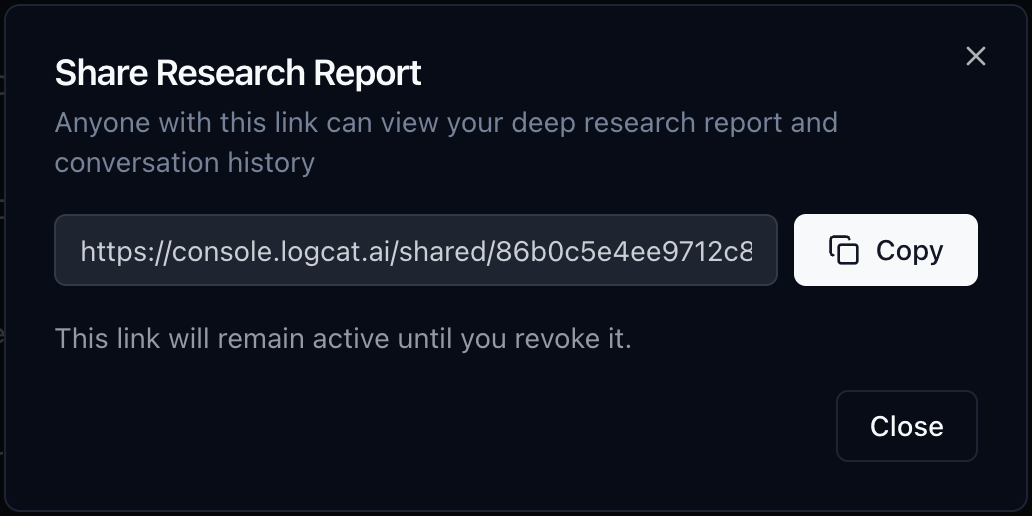
Share dialog showing secure link generation for Deep Research reports
Deep Research vs. Quick Search
logcat.ai now offers two search modes:
| Quick Search | Deep Research | |
|---|---|---|
| Speed | < 5 seconds | 5-10 minutes |
| Approach | Single-pass answer | Multi-step investigation |
| Web search | No | Yes (automatic) |
| Citations | No | Yes (logs + external sources) |
| Shareable report | No | Yes (share link) |
| Best for | Quick questions | Complex root cause analysis |
Use Quick Search for: “What caused the crash?”, “Show ANR trace”, “Find memory warnings”
Use Deep Research for: “Why is battery draining?”, “Investigate kernel panic root cause”, “Deep dive into system_server leak”
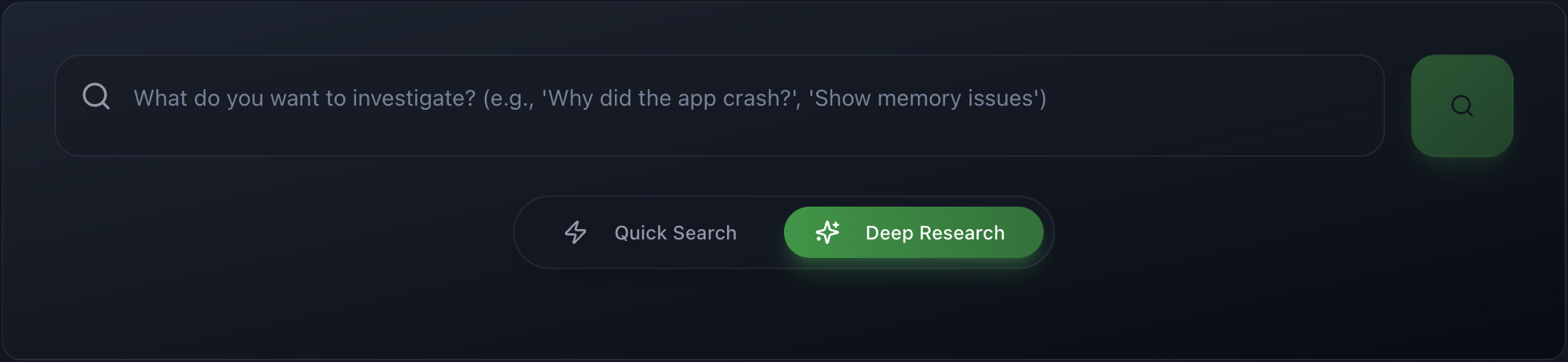
Toggle between Quick Search and Deep Research modes in the search interface
Best Practices for Deep Research
When to Use Deep Research
✅ Use Deep Research when:
- You see a high/critical finding in automatic analysis and need root cause
- Quick Search finds symptoms but you need deeper investigation
- Problem involves multiple subsystems (app + system service + kernel)
- Need to verify vendor-specific or version-specific behavior
- Want comprehensive fix recommendations (immediate + long-term)
- Need a shareable report with citations for stakeholders
❌ Don’t use Deep Research for:
- Simple lookups: “What’s the crash stack trace?” (use Quick Search)
- Listing events: “Show all ANRs” (use Quick Search)
- Questions already answered in automatic report
Writing Effective Deep Research Queries
Good queries (investigative, open-ended):
- ✅ “Why is my app consuming 40% battery overnight?”
- ✅ “Investigate the root cause of system_server memory leak”
- ✅ “Deep analysis of kernel panic during WiFi initialization”
- ✅ “What’s causing thermal throttling during video recording?”
Poor queries (too simple, use Quick Search instead):
- ❌ “What is the crash?” → Use Quick Search
- ❌ “Show me errors” → Use Quick Search
- ❌ “List all warnings” → Use Quick Search
Try Deep Research Today
Deep Research is available now in logcat.ai.
Get Started: Upload your bugreport, logcat, or dmesg file, click on it to open the search page, and toggle to Deep Research mode.
New user? Request beta access to join the next onboarding batch.
Questions? Contact us at developer@logcat.ai
Deep Research represents our vision for debugging: AI that investigates problems like senior engineers do, combining log analysis, external research, and critical thinking to find root causes you might never discover manually. Built by engineers who’ve debugged too many production incidents at 3 AM.
Share this post
Related Posts
From App Crashes to Kernel Panics: Introducing logcat.ai
AI-powered log analysis for Android and Linux. Debug kernel panics, ANRs, and memory leaks in …